Fiscalidad

Positive or negative result in the Spanish Renta: what it means | Easy guide

Is your Spanish tax return showing a positive or negative result? We explain what each outcome means, whether you owe money or Hacienda owes you a refund.

Actualizado el 8 de abril de 2026 · 11 min de lectura · Por Cristian Moreno

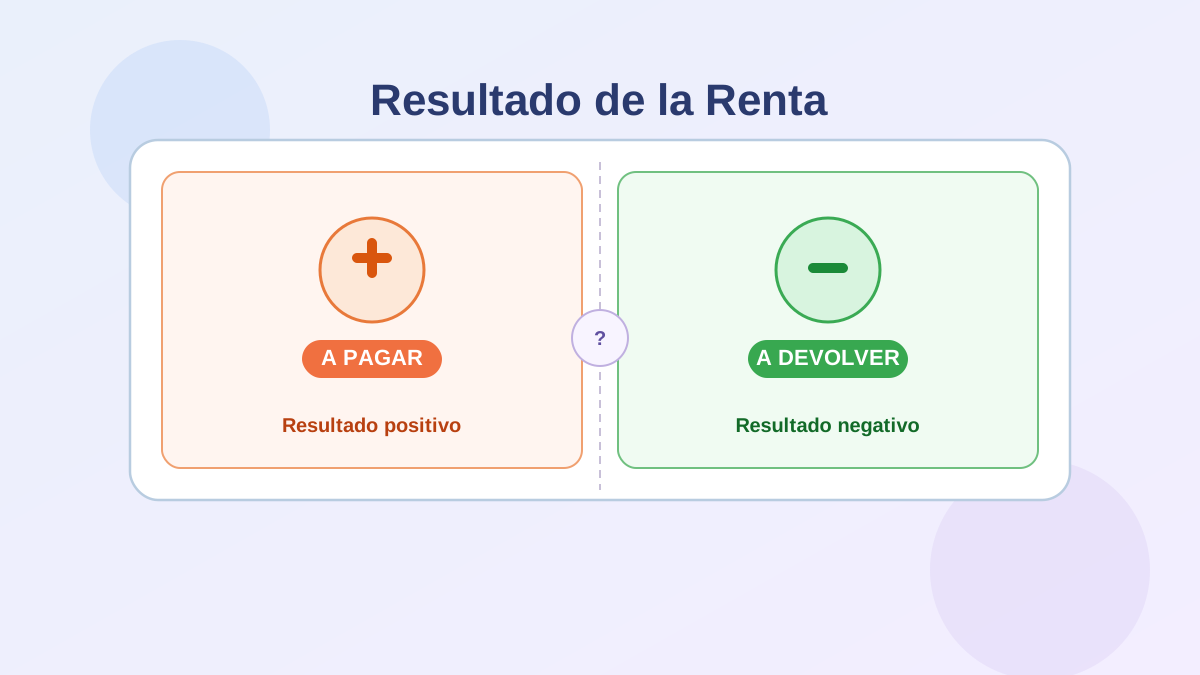
Illustration about the positive or negative result in the Spanish Renta tax return

You open Renta WEB — the Spanish tax authority's online platform — and there it is: a number with a label that says resultado positivo or resultado negativo. If you haven't done this before, or even if you have, these Spanish tax terms can be confusing. What do they mean? Do you owe money? Is money coming back to you?

This guide gives you the direct answer first, then explains why it happens and what to do next. It's written for anyone living in Spain — whether you've been here for years or are filing for the first time.

To explore all taxation content available for Spain, visit the fiscalidad pillar.

What does positive or negative result mean in the Renta

When you file the Spanish income tax return (the Declaración de la Renta / IRPF), the system compares two things: what you should have paid in income tax over the year versus what you already paid through withholdings and advance payments.

The difference between these two figures is the resultado (result). It can be positive or negative:

Result What it means What happens
Positivo (positive) You paid less tax than you owed during the year A pagar — you owe the difference to Hacienda
Negativo (negative) You paid more tax than you owed during the year A devolver — Hacienda owes you a refund

Put simply:

  • A positive result means you owe money to Hacienda. You need to pay that amount before the campaign deadline.
  • A negative result means Hacienda owes you money. Once you submit your return, you'll receive a refund to your bank account.

That's the core of it. Everything else is just the detail behind why it happens and what to do next.

Positive result (resultado positivo): what it means

A positive result in your Renta means that during the year, your withholdings (the tax deducted from your salary each month) were not enough to cover your full income tax liability. Hacienda has done the final calculation and you still owe them money.

This is not a fine, a penalty, or a sign that you did anything wrong. It simply means the advance payments didn't cover the full amount.

Why does it come out positive?

Common situations that lead to a positive result (tax to pay):

  • Multiple employers during the year: if you changed jobs or had two employers at the same time, each one calculated your withholding independently without knowing about the other. When all income is added up at the end of the year, your effective tax rate may be higher than the combined withholdings.
  • Additional income: if you had income beyond your salary — rental income, investment returns, freelance work — it may not have been subject to sufficient withholding, increasing the gap.
  • Reduced withholding requested: you may have asked your employer to apply a lower withholding rate. If your income or circumstances changed, this could have led to a shortfall.
  • Changed personal circumstances: if you no longer qualify for certain deductions or family allowances you had at the start of the year, your effective tax rate may be higher than what the withholding assumed.

What to do if it comes out positive

You need to pay the amount shown before the campaign deadline. For the 2025 tax year (Renta Campaign 2026), the general deadline is 30 June 2026.

Payment options:

  1. Full payment in one go: pay the entire amount at once via direct debit or bank payment.
  2. Split payment (60/40): you can split the payment into two instalments at no extra cost. 60 % when you submit the return, and the remaining 40 % in November of the same year. You must select this option when submitting — you cannot request it afterwards.

If you don't pay within the deadline, surcharges and late interest start accumulating. The longer you wait, the more it costs.

See all the details about deadlines, payment methods and consequences in the guide on renta a pagar (tax to pay).

Negative result (resultado negativo): what it means

A negative result in your Renta means that during the year, your withholdings were higher than your actual tax liability. You overpaid throughout the year, and Hacienda owes you that difference back.

For many people, a negative result feels like good news — and in a way it is: money is coming back to you. But it's worth understanding what's actually happening: it's not a bonus from Hacienda. It's your own money that was withheld in advance and is now being returned.

Why does it come out negative?

Common situations that lead to a negative result (refund):

  • Higher-than-needed withholdings relative to actual earnings: your employer calculates your withholding at the start of the year projecting a full annual salary. If you only worked part of the year, or your salary was lower than projected, the withholding may have been disproportionately high.
  • Significant deductions: if you apply deductions that Hacienda doesn't automatically factor in — maternity deductions, housing deductions (for mortgages before 2013), regional deductions, pension plan contributions — these reduce your final tax bill below what was withheld.
  • Temporary or part-time work: employers often assume full-year continuity when calculating withholding. Workers on short contracts or part-time arrangements often receive refunds.
  • Single employer with stable withholding, but additional allowances: even with one employer and steady income, applying deductions Hacienda didn't know about can result in a refund.

What to do if it comes out negative

The key action is simple: submit your return so Hacienda can process the refund. If you don't submit, you don't get paid. The refund does not happen automatically.

Once submitted, the typical process is:

  1. Hacienda reviews your return.
  2. If everything checks out, a refund is issued within the established timeframe — usually a few weeks for straightforward returns.
  3. The money arrives in the bank account you provided when filing.

Submitting early in the campaign (April and early May) generally puts you earlier in the processing queue.

See full details about timelines, how to track your refund, and what to do if it's delayed in the guide on renta a devolver (refund).

Why some people owe and others get a refund

The difference between a positive or negative result is not random. It depends entirely on how your withholdings during the year compared to your actual tax obligation.

The withholding system is an estimate. Each payer — your employer, a bank paying interest, a tenant paying you rent — calculates the withholding based on the information available to them. They don't know the full picture of your financial year: they don't know how much other payers are paying you, what deductions you have, or whether your circumstances changed.

When the Renta campaign arrives, Hacienda does have (or can build) the full picture and calculates the final bill. The gap between that final calculation and what was already paid is the result.

In practical terms:

  • Withholdings too low → positive result → tax to pay.
  • Withholdings too high → negative result → refund.
  • Withholdings accurate → result close to zero.

From a personal financial planning perspective, the goal isn't necessarily to maximise your refund. A large refund means you gave Hacienda an interest-free loan for months. The ideal scenario is to calibrate withholdings so the final result is as close to zero as possible.

What to do after seeing your result

Once you know whether the result is positive or negative, here's what to do before confirming your return:

1. Review the borrador (draft) before confirming

The number Renta WEB shows you is based on the pre-filled draft (borrador) — the data Hacienda already has on file. This draft can have errors or gaps. Review it carefully before confirming.

Key things to check:

  • All your income from the year is included (work, investments, rental, etc.).
  • All withholdings from all your payers appear correctly.
  • Your personal and family situation is up to date (marital status, children, dependants).
  • All deductions you're entitled to have been applied.

For guidance on how to access and review your data, see the guide on how to download your fiscal data.

2. Apply the deductions you're entitled to

Many people confirm the borrador without checking whether deductions apply to them. Some of the most relevant ones:

  • Maternity and childcare deductions.
  • Investment in primary residence (for mortgages before 2013).
  • Regional deductions (these vary by autonomous community — Comunidad de Madrid, Cataluña, etc.).
  • Pension plan contributions.
  • Donations to charities.

Each deduction you apply can reduce your bill — or increase your refund.

3. Consider joint vs individual filing

If you are married or in a registered civil partnership (pareja de hecho) with joint children, you may have the option to file jointly. Renta WEB shows you a comparison between the two options. In cases where one partner has low or no income, joint filing can be significantly more favourable.

4. Organise payment or wait for the refund

Once you've reviewed and confirmed the result is accurate:

  • If a pagar (to pay): organise payment within the available deadlines. Use direct debit to keep things simple.
  • If a devolver (refund): confirm your bank details are correct and submit as early as possible.

Common mistakes when interpreting the Renta result

Confirming without reviewing

The most common mistake. The borrador may have incomplete or incorrect data. Confirming without a proper review can cost you money or create problems later.

Thinking a positive result is a penalty

It isn't. It means you underpaid during the year and now need to settle the balance. As long as you pay on time, there are no additional consequences.

Thinking a refund always means you did well

A large refund can seem satisfying, but it means you overpaid throughout the year with no return on that money. From a financial management standpoint, accurate withholdings are better than big refunds.

Missing available deductions

Hacienda won't tell you what you could deduct — you have to apply it yourself. Missing deductions means leaving money on the table.

Rushing the submission

Submitting quickly without reviewing is riskier than taking a few extra days to do it properly. Errors can lead to amendments and complications later.

Where to see your result in Renta WEB

When you access Renta WEB and review your return, the result appears in the declaration summary, typically in the final screens before confirmation.

You'll see a field called "Resultado de la declaración" (declaration result) showing an amount. If it's positive (tax to pay), it usually appears in red or with an explicit "a ingresar" (to pay) label. If it's negative (refund), it shows a minus sign or "a devolver" (to be refunded).

You can also find it in the borrador PDF in the field called cuota diferencial (net tax due) or in the final result field.

To access Renta WEB, you'll need a digital certificate, Cl@ve, or reference number. For instructions on how to get in, see the guide on accessing Renta WEB.

Frequently asked questions

What does a positive result in the Renta mean?

A positive result means you paid less IRPF than required during the year. The declaration settles that difference and you must pay the amount to Hacienda before the campaign deadline.

What does a negative result in the Renta mean?

A negative result means you paid more IRPF than required during the year. Hacienda owes you that difference and will refund it to your bank account once you submit your return.

Does a positive result mean I have to pay?

Yes, in general terms. A positive result means you owe that amount to Hacienda. The amount and deadline are shown in the declaration itself. If you don't pay within the deadline, surcharges apply.

Does a negative result mean Hacienda refunds me?

Yes. A negative result means Hacienda owes you that amount. Once you submit the declaration, the refund is processed within the established timeframes.

Can the result change when reviewing the borrador?

Yes, and it often does. The borrador reflects the data Hacienda has, but may have missing income, omitted withholdings, or unapplied deductions. Reviewing and correcting can significantly change the result in either direction.

Is it bad if the Renta comes out positive?

Not at all. It means you need to pay the difference, but there's no penalty involved as long as you pay on time.

Is it better if the Renta comes out negative?

Not necessarily. A large refund means you gave the government an interest-free loan during the year. From a financial perspective, accurate withholdings that result in a near-zero balance are ideal.

Conclusion

The positive or negative result in your Spanish Renta is one of the most important figures in your tax return — and one of the most misunderstood.

The bottom line: positive means you owe Hacienda money; negative means Hacienda owes you money. This reflects the difference between what you paid in advance through withholdings and what you actually owed in income tax.

Before acting on the result, always review the borrador carefully: make sure all your income and withholdings are included, and that all applicable deductions have been applied. The figure Renta WEB shows is a starting point, not a final immutable number.

If you're a pagar (owing), organise your payment within the deadline. See the full guide on renta to pay for all the details.

If you're a devolver (getting a refund), submit as early as possible and verify your bank details. See the full guide on renta refund to understand timelines and how to track it.

To explore more about the Spanish tax system, visit the fiscalidad pillar.

Sobre el contenido de esta guía

Este artículo ha sido escrito por Cristian Moreno para Finanzas Fáciles. Analizamos datos de organismos oficiales como el Banco de España y el INE.

Las guías se revisan periódicamente para reflejar cambios económicos y financieros en España. Este contenido es informativo y educativo. No constituye asesoramiento financiero, fiscal ni legal personalizado.

Fuentes